Open Copilot and set GPT 5.5
Get from "I have a license" to "I'm using the right model" without clicking around.
- M365 license (every Qvantum employee has one)
- 2 minutes
- Any modern browser, or the Teams desktop app
Step 1 — Open Copilot
Open Microsoft Edge, Teams, or Word. In the top-right toolbar (Edge sidebar / Teams app rail / Word ribbon) you'll see a Copilot icon. Click it.
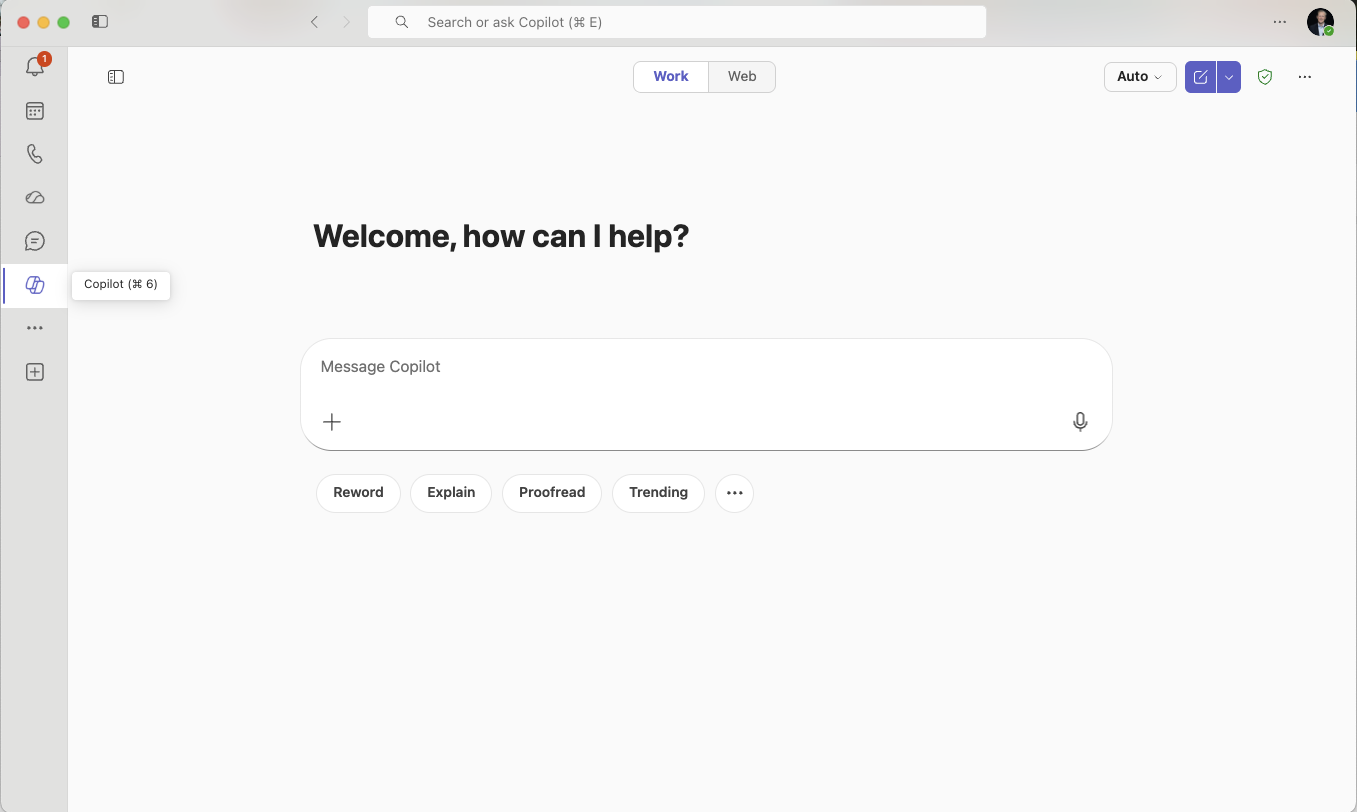
The Copilot icon in the app rail — its tooltip reads "Copilot (⌘6)". Clicking it opens the chat shown here.
If you don't see the icon, sign out and back into M365 with your Qvantum account. If it's still missing, ping an ambassador.
Step 2 — Open the model picker
In the Copilot chat window, look for the model selector in the top-right (it says Auto by default). Click it to open the picker, then expand the GPT · Open AI group.
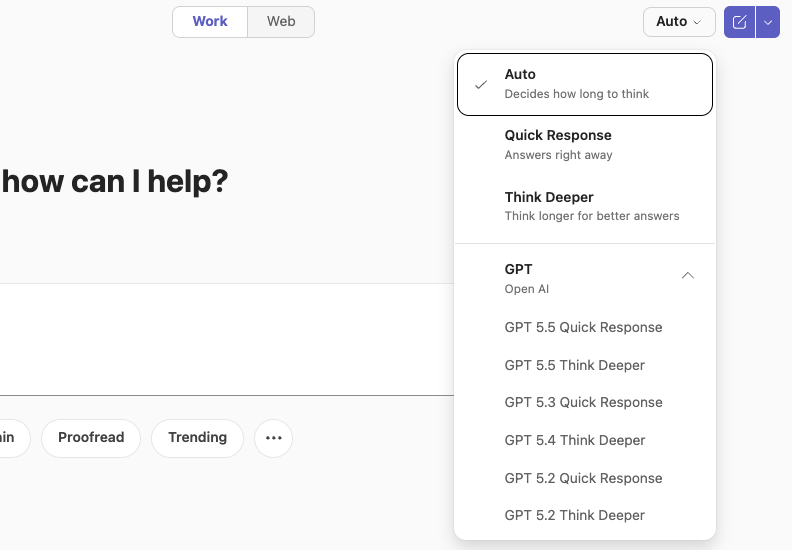
The model picker, opened from the top-right "Auto" button. Expand the "GPT · Open AI" group to see the GPT versions.
Step 3 — Select GPT 5.5
In the GPT group, pick a GPT 5.5 entry — Quick Response for fast answers or Think Deeper for harder reasoning. The selector at the top of the chat then confirms your choice (e.g. "GPT 5.5 Think").
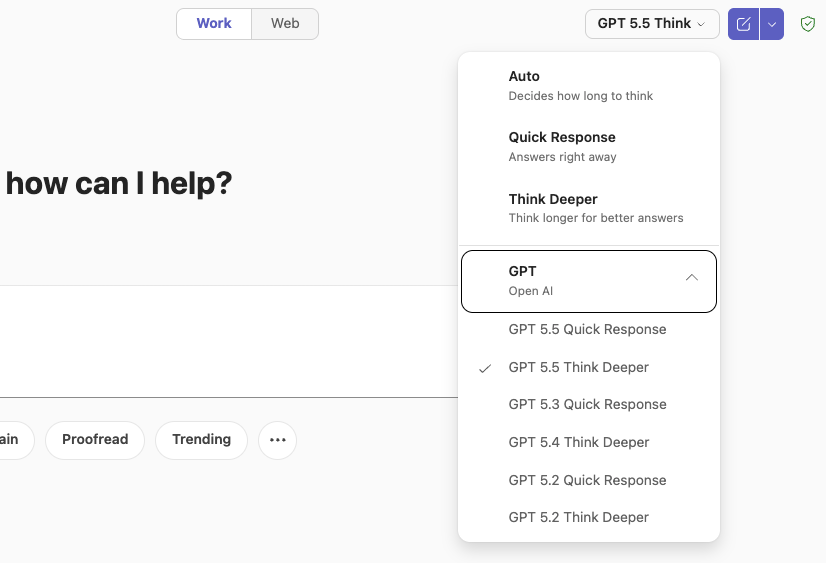
"GPT 5.5 Think Deeper" selected — note the top-right selector now reads "GPT 5.5 Think".
Still stuck?
Two ways to get help:
- Ambassador: Ask any of the people listed on the ambassadors page.
- Teams channel: Post in
#ai-qvantumand tag an ambassador.
Created by Jacob Skogström · Last updated 2026-05-15